Kkaeal

A free Windows desktop game where pixel creatures live in the corner of your screen. Catch them, raise them, send them into gyms. No game window, it runs while you work.
It won't run on a phone. Open this page on a PC to download.
- 1Unzip the download
- 2Double-click 깨알.exe in the 깨알 folder
- 3If a blue box appears: More info → Run anyway
Kkaeal (깨알) is a Windows game where pixel creatures live in the corner of your desktop, and you catch them, raise them and send them into gyms. While you work, they wander around, fight and grow on their own.
The name is a Korean pun. 깨알 is a sesame seed, something tiny; read as 깨 + 알 it also means “crack the egg”, which is how every creature here is born.
It doesn’t take over your screen
Most games open a window and you play inside it. Kkaeal has no game window. The creatures walk around on your desktop, near the taskbar.
| A typical game | Kkaeal | |
|---|---|---|
| Where | Inside its window | On your desktop |
| When | Only while you play | Left running all day — different creatures show up at different times of day |
| When you need it gone | Minimise the window | One press of the \ key hides everything; press again to bring it back |
You can change the hide key in the settings. Kkaeal doesn’t take that key away from other programs — typing \ elsewhere still types it, and the game hides along with it.
Catch, raise, send is the core — and the gaps in your workday filled up around it
The first builds had only those three. Each version since has added something to do around them.
| What you do | How |
|---|---|
| Catch | Grab the wild ones walking by. Pokémon get a Poké Ball thrown at them; Digimon get a Digivice shone on them |
| Raise | Your partner grows and digivolves: Rookie → Champion → Ultimate → Mega |
| Send | Build a team and send it into gyms and the tower. There are 32 gyms on the Pokémon side and 32 on the Digimon side; clear one side of Season 1 and a tougher Season 2 opens. Your first badge from each gym pays gym number × 50 gold |
| Fill the Dex | 627 Pokémon and 294 Digimon, 921 in all. A first catch flips in as a card, and caught species show a tier from 1 to 10 |
| Life Yard | Seat up to 10 creatures you aren’t using and they work by type for gold: Water types fish, Electric types charge batteries. They only earn while you’re active at the PC, and the Digivice reports the take every hour |
| Shop gacha | Spend that gold on pulls (300 a pull) to fill the Dex |
| Daily gift | Once a day, five minutes after you start, a creature walks in wearing a ribbon. Click it to keep it |
| Mini-games | Gomoku against your partner, with four skill levels plus «Random», where a card deck decides who moves · Picture match in three stages · a silhouette quiz |
| Link Battle | Turn your team into one line of code and fight a friend’s team. No rewards, and both sides need the same version |
Numbers in the table are as of v0.1.6.
It’s quicker to see it move
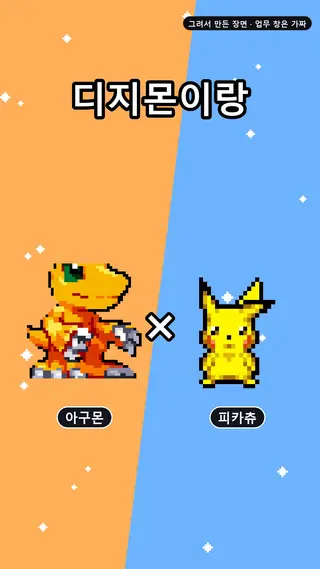
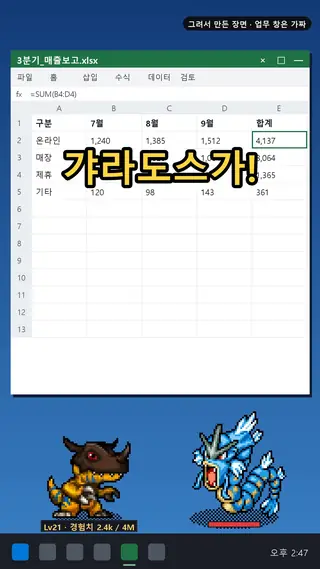
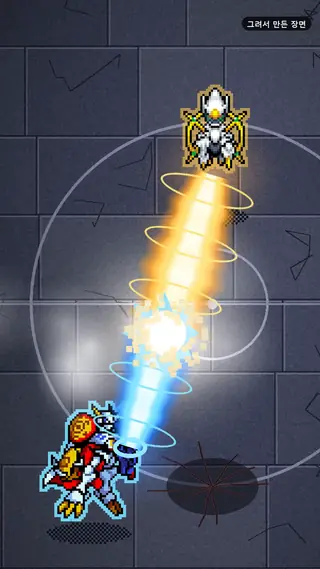
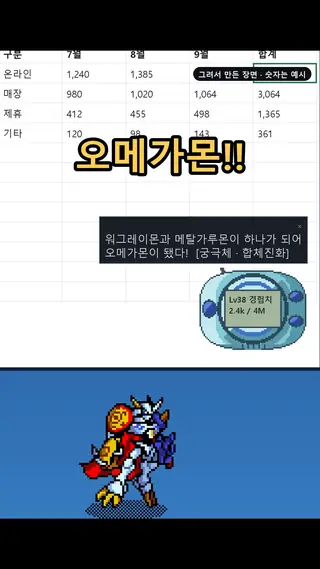
Each one opens a short clip on Instagram. The captions in the clips are in Korean.
It grows as you type — and never knows what you typed
Your partner grows as much as you use the computer. Each key press is worth 1 experience point; each mouse click is worth 2.
Which raises the obvious question: is it reading my keystrokes?
No. The only thing Kkaeal counts is how many times something was pressed.
| Counted | Never counted |
|---|---|
| How many keys were pressed | Which key it was |
| How many mouse clicks | What you typed · which window · where the cursor was |
That was settled by the method, not by a promise. Kkaeal doesn’t intercept keystrokes on their way to other programs. It just asks, many times a second, “is anything held down right now?” With that method, rebuilding what you typed is impossible in principle. The save file holds two numbers and nothing else.
Some PCs run security software that blocks even that question. On those, from v0.1.4 on, Kkaeal looks only at when the last input happened and counts each change as one key press. It still can’t tell which key it was.
Creatures also only show up while you’re at the keyboard. The next one comes after enough time has passed and enough input has piled up since the last. Step away and nothing queues up to pour out when you return.
The first launch shows one blue box
It’s the “Windows protected your PC” box. Nothing is broken. It appears because the file has no code signature — a publisher’s stamp.
Windows protected your PC
More info① click here
Run anyway② and this button appearsDon't run
A signature costs money every year, and these days a signed file still gets the box until enough people have downloaded it. For a free game, it wasn’t worth it.
Your save lives elsewhere, so new versions keep it
The save isn’t next to the game file; it’s in %APPDATA%\Pixling (the folder keeps the old name on purpose — renaming it would lose your creatures). When a new version comes out, download the new zip and overwrite the old files. Your creatures stay.
Usually the game does even that for you. It tells you when a new version is out. Once at start it asks GitHub (the download repository) whether a newer version exists — it sends only its version number — and downloads only if you agree. If you don’t want to wait, press «⬆ Update» in the menu and it checks right away (from v0.1.6).
The notice has been in the game since v0.1.3. If you’re on something older, it won’t come, so download from this page once and overwrite.
What it can’t do yet
| Can’t | Why |
|---|---|
| Run on Mac or phones | It relies on Windows window features |
| Skip the blue box | No code signature |
| Vouch for antivirus behaviour | How antivirus tools view the “is a key held down?” polling hasn’t been measured yet |
Sprite credits
This is a non-commercial fan game. The Digimon sprites belong to Bandai; the Pokémon sprites belong to Nintendo, Game Freak and Creatures. The full notice is in the in-game credits window and in OUTPUT_NOTICE.md inside the zip.
The detailed record starts here
Three sessions built it, and the line between them is whose sentence it is
Kkaeal is built by three AI sessions. The planning session writes the design and the spec, and decides what comes next. The development session owns code, tests, building the executable and the verification tools. The art session only makes pictures. Orders arrive two ways: as a stage table in the spec, pass conditions included, landing in a commit — or as a message between sessions.
At first the boundary looked like a list of prohibitions: development doesn’t edit the spec, and so on. But on the day the line actually broke, nothing prohibited had happened. The development session handed planning “the line you should add to the spec” as a ready-made quote. It never touched the spec — but it decided the sentence, which is the same line crossed.
So the line was redrawn. Measuring and handing over is development’s job; deciding with that number is planning’s. “Doing this gives that value” is fine. “So let’s write this in the document” is not.
The messaging itself leaked too. Three of four messages between sessions went by unread. So the design stopped trusting the sender: the receiving side now checks for itself every turn.
All-green checks still don’t tell you whether it runs on screen
Every executable build runs four checks: was it stamped, have no commits landed since the build, is nothing left uncommitted, and was the game not running while it was built. One day all four were green, and the intended commit was confirmed to be in the build.
Then the game was launched, and the new feature didn’t show at all. Only the code that positions the fighters had shipped. The battle animation itself was missing entirely.
The four checks were perfect at “what went in” and looked at none of “does it run on screen.” Those are different questions. Since then, before saying a feature works, the rule is to launch it and look at that screen — and if it can’t be launched, to make the check look at the resulting screen before saying anything.